Industries
7 min read
Ecommerce Bookkeeping: Reconciling Shopify, Amazon and Stripe in Xero
Platform payouts arrive net of fees, refunds and chargebacks, which is why ecommerce books get messy fast. Here's the setup that keeps them clean.
Ecommerce businesses don’t have a bookkeeping problem, they have a payout problem. Shopify, Amazon, Stripe and PayPal all deposit a single net amount into your bank account, after taking out fees, refunds, chargebacks and sometimes advertising. If that net deposit is coded as a sale, your revenue, GST and margins are all wrong.
Quick answer: treat each sales channel as its own clearing account. Record gross sales, fees, refunds and GST against the clearing account, then match the bank payout to it. Tools like A2X automate this for Shopify and Amazon.
Why payouts break your books
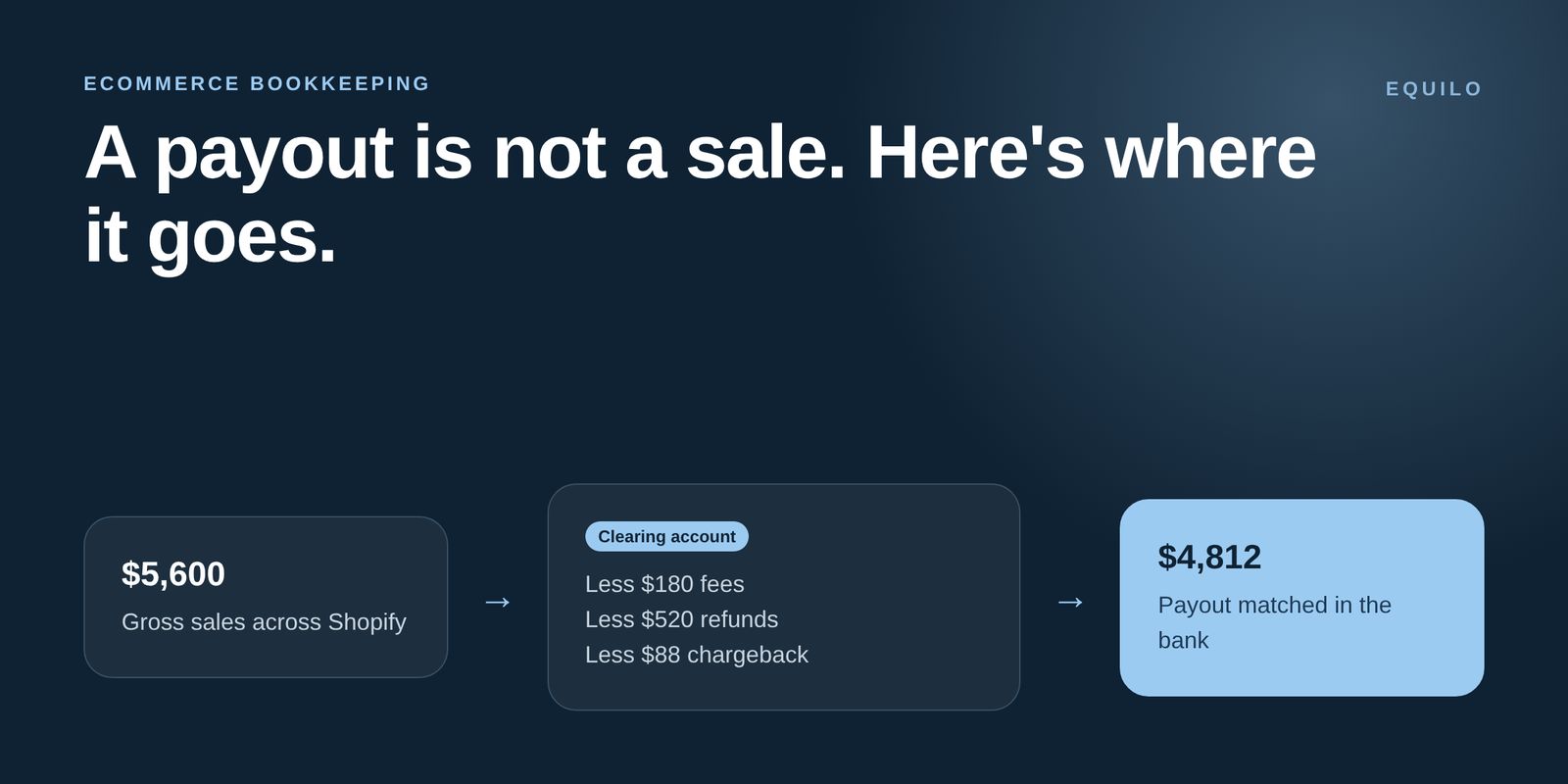
A $4,812 Shopify payout might really be $5,600 of sales, less $180 of fees, less $520 of refunds, less $88 of chargeback. Code the $4,812 as revenue and you’ve understated sales, ignored a real cost and probably got GST wrong too.
The clearing account method
Step | What happens |
|---|---|
1. Record the settlement | Gross sales, GST, fees and refunds are posted to a channel clearing account |
2. Payout lands in the bank | The bank deposit is matched to the clearing account, not to sales |
3. Clearing account returns to zero | If it doesn’t, something is missing, which is exactly what you want to know |
Run one clearing account per channel: Shopify, Amazon, Stripe, PayPal, Afterpay. It makes every channel’s real margin visible.
Shopify
Shopify Payments pays out on a rolling schedule. Use an integration such as A2X to post each payout as a summarised invoice split into sales, shipping income, discounts, refunds and fees, with GST handled line by line.
Amazon
Amazon settlements can include FBA fees, storage fees, advertising and reimbursements, and they don’t line up neatly with calendar months. A settlement-based integration is the only practical way to keep it accurate at volume.
Stripe
Stripe deducts processing fees before paying out, and refunds and disputes can come out of later payouts. Reconcile Stripe through its own clearing account so fees appear as an expense, not missing revenue.
Stock, landed cost and margin
Track landed cost. Freight, duties and customs fees belong in the cost of your stock, not general overheads.
Count stock regularly. If your inventory app and Xero disagree, your cost of goods sold and margin are wrong.
Watch margin by channel. Amazon might drive volume while Shopify drives profit. You can only see that with clean clearing accounts.
Ecommerce bookkeeping checklist
One clearing account per sales channel
Payouts matched weekly, not at BAS time
Fees coded as expenses with the right GST treatment
Landed costs added to stock
Monthly margin by channel
We do this every day
We set up and run ecommerce books for online stores and wholesalers across Australia. Answer three questions to get your fixed monthly quote.